Display BuddyPress Group ID in the Groups List
If you are looking to find out the group Id for your BuddyPress group, this tutorial will make it easy. When you add the following code to your bp-custom.php, You can see the BuddyPress group id by hovering over the group in the Dashboard groups list.
1 2 3 4 5 6 7 8 9 10 11 12 13 14 | /** * Display the ID of the BuddyPress group in your Admin Dashboard->Groups screen on hovering on the group name * * @param array $links array of links. * @param array $item array containing group fields * * @return array */ function buddydev_display_group_id_in_groups_list_table( $links, $item ) { $links['view-id'] = "<a href='#'>ID:{$item['id']}</a>"; return $links; } add_filter( 'bp_groups_admin_comment_row_actions', 'buddydev_display_group_id_in_groups_list_table', 10, 2 ); |
Here is a screenshot:-
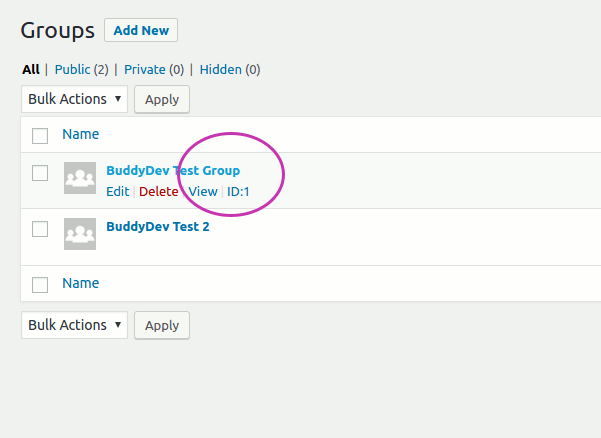
When you visit to Dashboard->Groups and hover over the group name, It will show the id.
Hope that helps some of you 🙂
Pingback:Add new members to BuddyPress groups automatically • BuddyDev