Introducing WordPress Restrict Email Domains Plugin
The WordPress Restrict Email domains plugin allows you to limit/restrict user registration on your WordPress/ BuddyPress site by email domains. You can limit the registration by specific emails or domains or just the domain extensions(like .edu/.com)
This plugin is best suited for intranets, educational institutes or the cases when you do not want to allow registration from everyone but a subset of users based on their email address. If you want to limit registrations on your WordPress, BuddyPress website to the emails belonging to only specified domains, this plugin is for you. It goes one step further and allows you to allow users by emails, or domains or even the domain extensions. So, if you are building an educational website and only want to allow the users from .edu domain, just put .edu in the settings. Same goes with the domain. If you are building a corporate network and only want to allow users from your own network, put your domain name in the settings.
It's easy and efficient. The use of regular expression gives it a lot of flexibility.
Features:-
- Works with
- WordPress
- WordPress Multisite
- BuddyPress
- Allows you to limit new user registrations by
- Domain names(e.g example.com)
- Extensions (e.g. .edu, will only allow emails having .edu domain)
- Email addresses (e.g admin@you-website.com, friends@some-other-website.com)
- You can configure the rules to allow users in the plugin admin panel(domain/email/extensions)
- It is very efficient
Screenshots
with BuddyPress

With WordPress Multisite
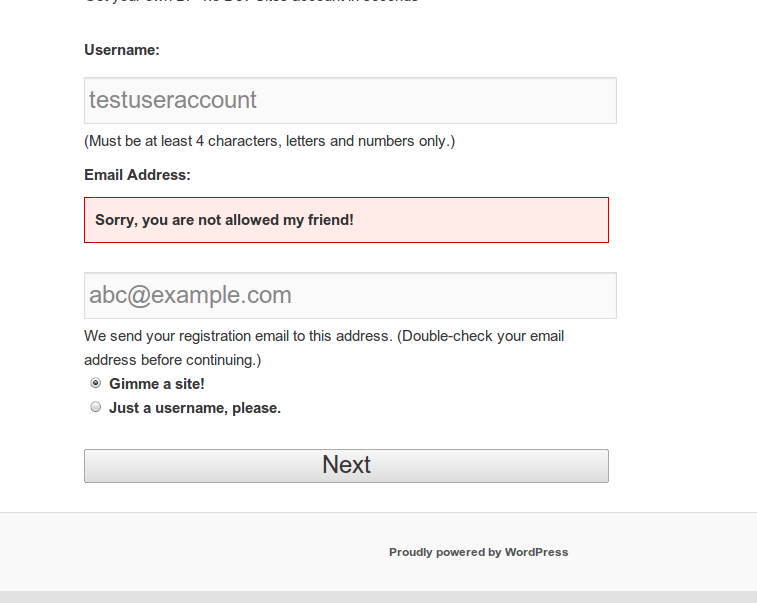
With WordPress

Admin Options:-
Allows you to update the list of allowed domains and the erro message as shown below
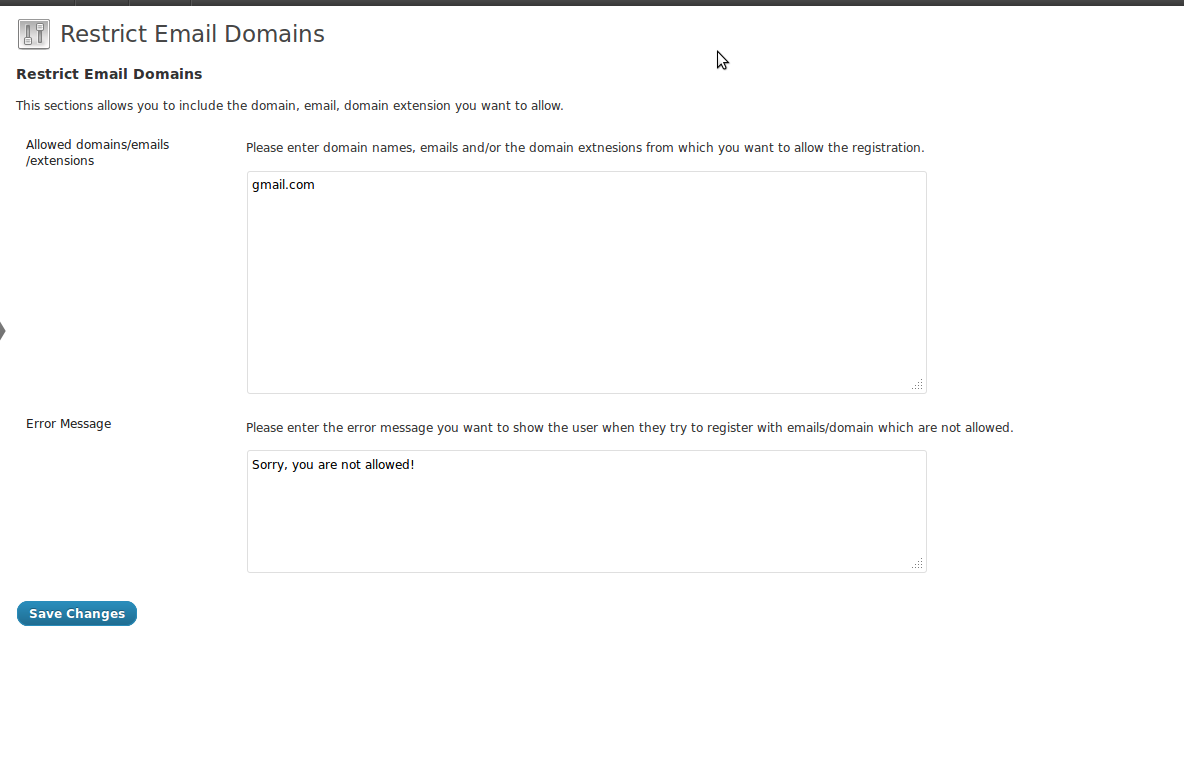
After activating the plugin, you can access it from Dashboard->Settings->Restrict Email Domains.
Download & Installation https://buddydev.com/plugins/wordpress-restrict-email-domains/
Hope it helps a few of you. Looking forward to hear your suggestions for further improvement.
Hello Brajesh.
There is a typo in the Restrict Email Domains Plugin backend GUI: extnesions
Thank you Hans. Noted for the next release 🙂
Hi Brajesh,
Thank you for making this plugin.
I am also running your version of BP MultiNetwork which is great.
For Restrict Email Domain in my WP Multisite/BP MultiNetwork configuration I am activating the plugin at the site level. However, when I change the domains on site A the setting are changed on site B.
Hopefully there is a way to make the setting independent by site.
Thanks,
~eric
This is great. Is there something like this for discussion settings? i.e. I want to restrict the posting of any comments unless they have a specific email domain. This would be ideal for our college website.
Hi Matthew,
Thank you for the comment.
That gives me a new idea to create a plugin for the purpose 🙂
Let me see if I can get something working in a day or two 🙂
Regards
Brajesh
I want to know if buddydev plugin will work for my classipress site.
Thank you
The plugin doesn't seem to be working for me. If I change the setting to .edu anyone can register…
It works if I put gmail.com but not just on the .edu tag.
Hi Dough,
i am sorry for the inconvenience. Please allow me 15 minutes to check it and get back to you.
Thank you
Brajesh
Thank you. Ill be headed to sleep now, but I will check back tomorrow.
Hi Doug,
There was a bug. We have updated the plugin, please upgrade to 1.0.4 and It will work properly.
Thank you
Brajesh
Hello, I'm having a very odd occurrence. Working on my localhost / WAMP. Basically, I put a bunch of domains allowed in listing, gmail.com, yahoo.com, etc. BUT instead of allowing those email domains to register, it denies those email addresses, while allowing random email addresses like zyd.com to register. Any help would be appreciated. Thank you.
Hi JohnyNW,
Please do not use comma. Instead, please put one domain on each line like this
yahoo.com
gmail.com
example.com
Each entry needs to be on a new line and there is no comma. Please try that and let me know if that works for you or not?
Thank you
Brajesh
No, it didn't. I even removed the list (making list blank) and saved. Then repopulated list, with no white space, with each line having their respective entries… . Not working…I mean it is allowing any domain like spam.com to work, but anything in my list, like gmail.com
yahoo.com
do not work 🙁
Is there an option I pressed? I even reloaded the code from scratch, writing exiting files, in case I had the wrong version. Version I have is Version:1.0.4. I even did a list like this:
@gmail
@yahoo
but that didn't work either.
Any other suggestions? This would be nice if it worked, to be honest.
Oh, I bet its something with my custom registration page? Let me go check… and have an answer for you soon.
Nope, its working even with default registration page. Any suggestions?
Sorry, correction: it's NOT working with default buddypress registration page.
Wait, I think I may have found an issue… I will update soon.
Hi,
It was a bug in the plugin. It was mistakenly testing for the no. of matches. Please upgrade to 1.0.5 and let me know if that solves it.
My apologies for the inconvenience.
Yes! That was it! Thanks for the fix! One more problem -> if I have a list, say with yahoo.com, if the person registering writes name@Yahoo.com or name@YAHOO.com, or any other variant that is not exactly as written in list, in this case yahoo.com with all lower cases, it WILL FAIL 🙁 Do I have to write all variants of domain names in the list?
Thank you for confirming.
Yes, that needs improvement. Please allow me 10 minutes to put an update.
Thank you
Brajesh
Thank you for your hard work and energy…and of course, I apologize for bogging you down with more work.
Thank you too for your patience. Please upgrade to 1.0.6 now. It allows case insensitive match for emails.
Also, There is no need to apologize, you are helping me improve the plugin. I sincerely appreciate it.
Hi,
After removing a domain from the whitelist, will it still block the login of existing users that already registered with that domain?
Hi Lucian,
No, It will only block the domains which are not present in the list. It seems you are referring to our other plugin.
Which one is that? Here is what i need:
I want to allow users to register and login only with a couple of email domains, eg user1@school1.com, user2@school2.com
but afterwards, when i remove a domain from the whitelist, all users that were using that domain should not be able to login anymore.
I mean not only the registration restriction, but also the login restriction for existing users when their domain is removed from the whitelist.
After reading your comment, you are looking at the right plugin.
The other plugin is Ban registration domain(You don't need that as it bans the domains listed in the option).
This plugin will serve your purpose for the registration but not for limiting login.