As you know, the default template supplied with bp-gallery is tailored for bp-default theme. If you are using bp-default theme or a child theme of bp-default, you don't need to modify any template.
There are times, when you template structure(the html layout) is different and bp-gallery template pages may not look good with your theme. In that case, It is very easy to modify the bp-gallery templates to works natively with your theme.
There are three layout entry points for BP gallery:-
- gallery/directory.php :- It is used for the Gallery directory layout
- gallery/members/index.php:- It is used for the layout of all the user gallery/media pages
- gallery/groups/index.php:- It is used for the layout of all the group gallery/media pages.
I am assuming that you have copied the "gallery" directory from bp-gallery to your current active theme.
Let us start our customization for User gallery pages first.
Customizing User gallery templates:-
- Rename gallery/members/index.php to index_backup.php
- Create a new file in gallery/members/ directory and name it index.php
- Now, open your members/single/home.php from your theme and copy its content (the code) to gallery/members/index.php
If you have followed these three steps, In your index.php, you should see some code block like this
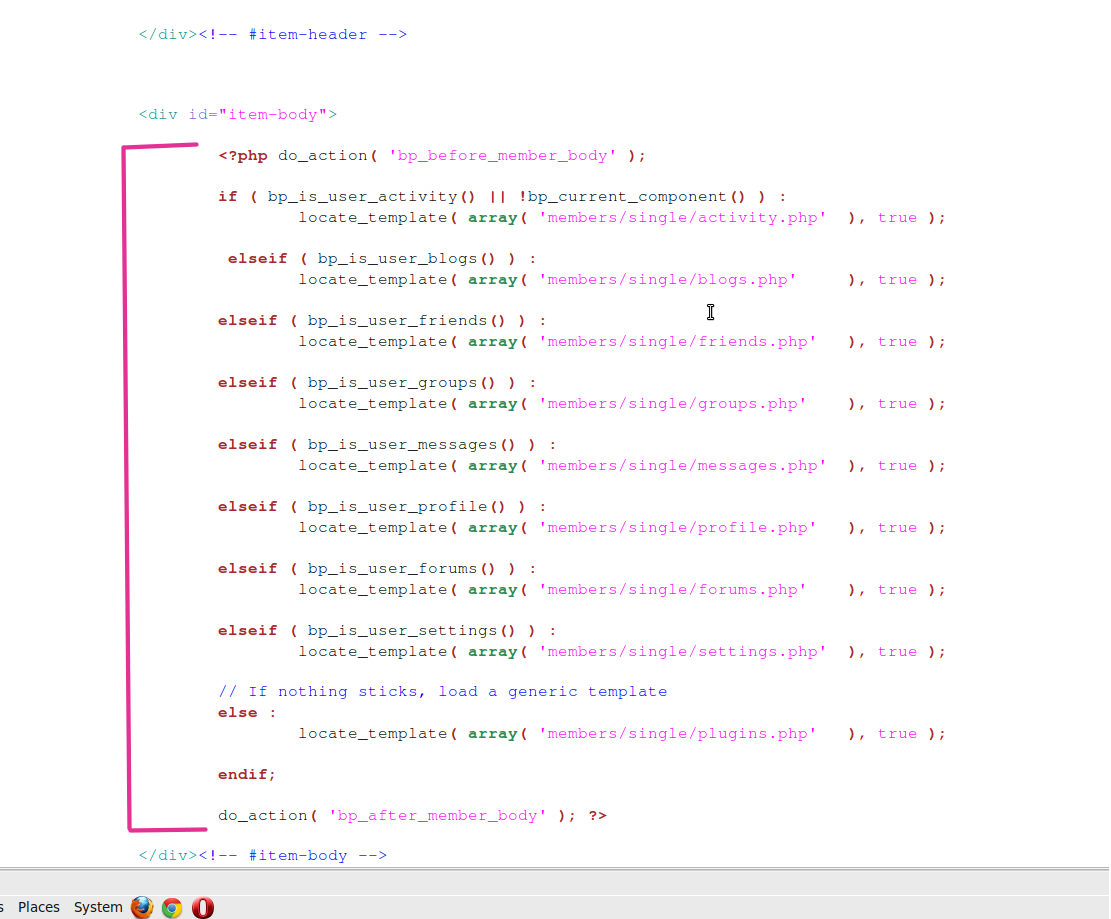
Delete that block from the gallery/members/index.php
Now open the gallery/members/index_backup.php (the file that we had renamed earlier) and look for the following code
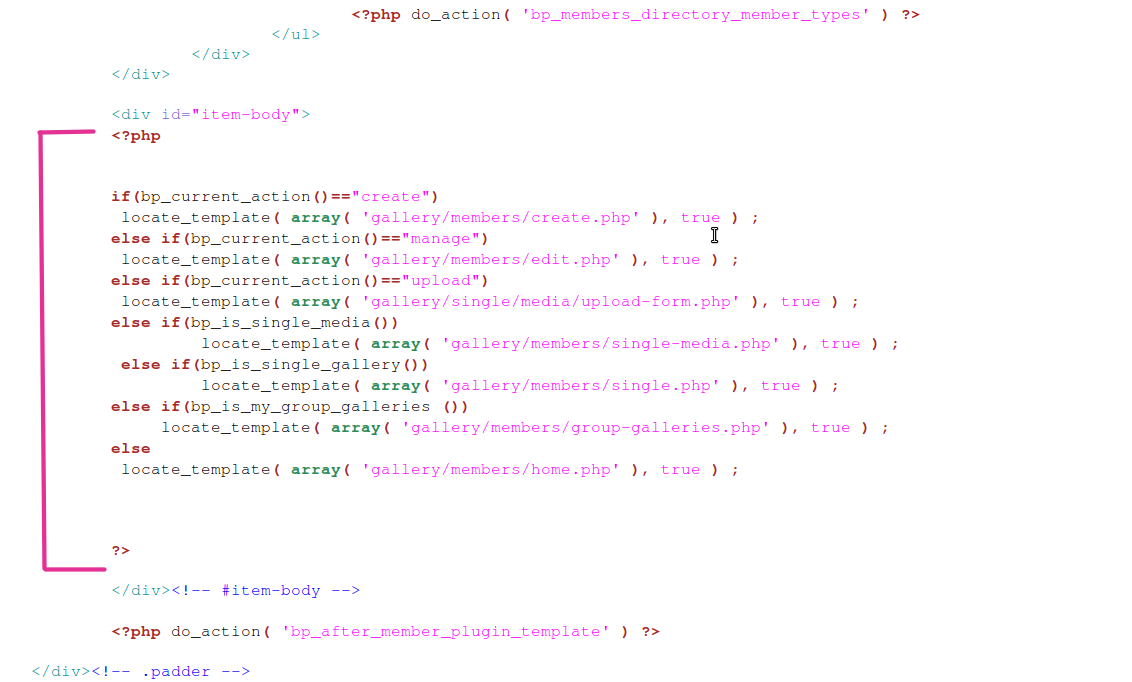
Just copy the block and paste it into the gallery/members/index.php from where we deleted the code block.
That's it. The user gallery pages layout will look fine with your theme. If the grids(gallery/media) is overlapping, please use firebug to inspect the divs and fix the css(most of the time should not be required).
Customizing Group gallery templates:-
- Rename gallery/groups/index.php to index_backup.php
- Create a new file in gallery/groups/ directory and name it index.php
- Now, open your groups/single/home.php from your theme and copy its content (the code) to gallery/groups/index.php
If you have followed these three steps, In your index.php, you should see some code block like this
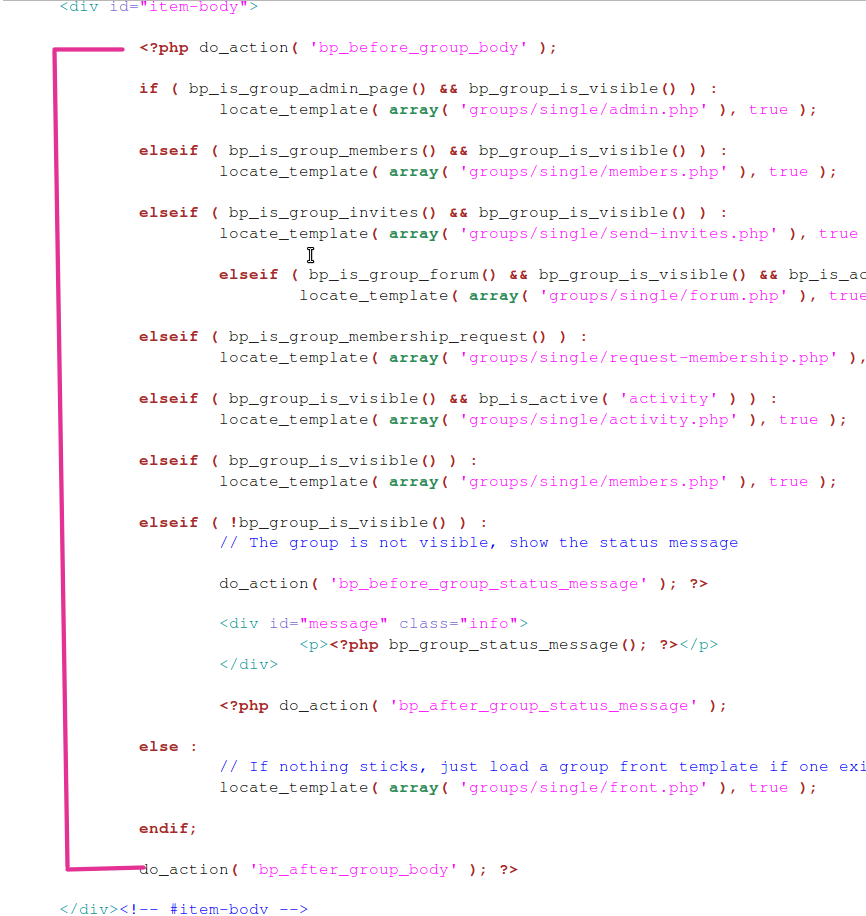
Delete that block from the gallery/groups/index.php
Now open the gallery/members/index_backup.php (the file that we had renamed earlier) and look for the following code
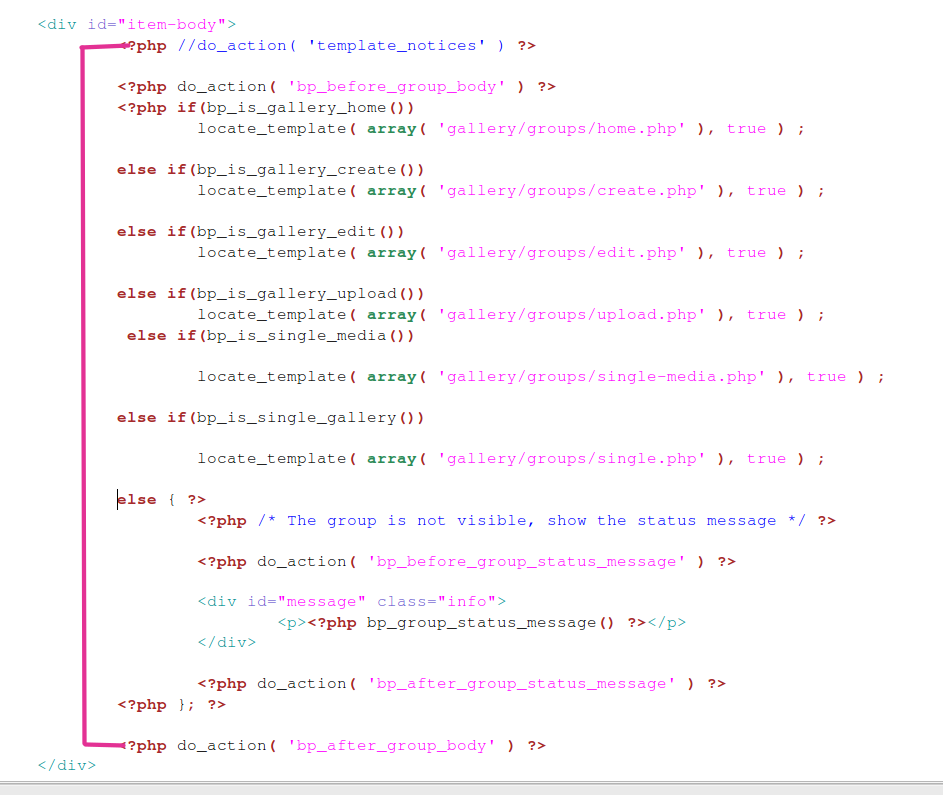 Just copy the block and paste it into the gallery/groups/index.php from where we deleted the code block.
Now, the Group Gallery pages will blend with your theme. If the grids(gallery/media) is overlapping, please use firebug to inspect the divs and fix the css(most of the time should not be required).
PS:- It is a Guide in development, will be updating more in next few days.