Replies
- Keymaster(BuddyDev Team)Posts: 25509Brajesh Singh on January 12, 2018 at 9:21 am in reply to: [Resolved] After MediaPress upgrade: "The privacy policy does not allow you to view this." #12838
Hi Richard,
Thank you.I am sorry for the issue. I did specify it in changelog but I should have posted it on blog or might have specified it in better way. Will keep that in mind in future.
The goal was to avoid the issue from happening on new installs on future. If you are on a new install, It won’t allow to upload unless the privacy level is supported for the component and will save a lot of trouble.
Thank you for the patience and using MediaPress.
Best Regards
Brajesh - Keymaster(BuddyDev Team)Posts: 25509Brajesh Singh on January 12, 2018 at 9:06 am in reply to: Mediapress Upload section covors send button #12836
Hi Tom,
We haven’t changed any css for positioning in 1.3.x, so that seems very strange.If it is feasible, please provide me a temporary account and enable MediaPress on the site. I can check and assist better.
Regards
Brajesh - Keymaster(BuddyDev Team)Posts: 25509
You are welcome!
- Keymaster(BuddyDev Team)Posts: 25509Brajesh Singh on January 12, 2018 at 8:38 am in reply to: [Resolved] After MediaPress upgrade: "The privacy policy does not allow you to view this." #12833
Hi Richard,
My apologies for the inconvenience. We have enforced the privacy support for each components in 1.3+In other words, The privacy level must be enabled for the component.
After upgrading, Please visit Dashboard->MediaPress->settings
and make sure the privacy is enabled in general tab. If it is, then it will be available on the members Tab/Groups/Site wide. Make sure it is checked.
If the privacy level is not enabled on general, please enable it and save the settings. Once you do that, you will need to enable it for each of the component.
Please give it a try.
regards
Brajesh - Keymaster(BuddyDev Team)Posts: 25509Brajesh Singh on January 11, 2018 at 7:21 pm in reply to: [Resolved] Serious error – Buddyblog New post white screen #12828
Hi,
BuddyBlog should not throw that notice. Yes, we use use cap check but the notice is thrown by some code using old style number for checking capability.Also, the error should give you some kind of the origin of the error. Please check that.
- Keymaster(BuddyDev Team)Posts: 25509Brajesh Singh on January 11, 2018 at 7:14 pm in reply to: [Resolved] Buddyblog: Hide certain Categories and Tags #12826
Hi PresPhuture,
You are welcome. Glad that it worked.Best Regards
Brajesh - Keymaster(BuddyDev Team)Posts: 25509
Hi David,
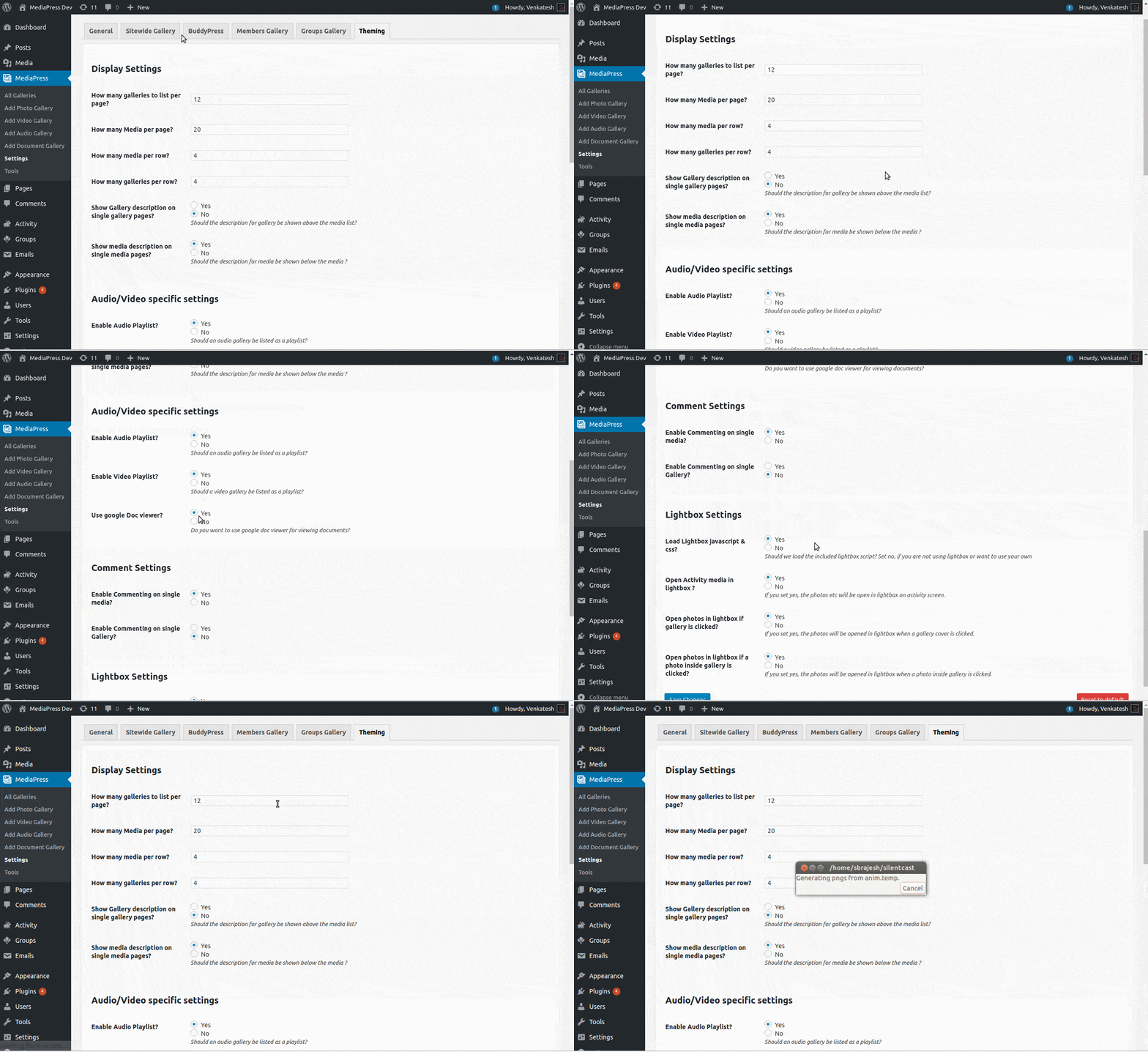
Thank you for using MediaPress.If you are using MediaPress 1.3.1 or above, you can simply disable the google doc viewer as shown here
https://buddydev.com/mediapress/files/2017/12/mediapress-disable-google-doc-viewer.gif
Once you do it, the doc files will have the exact same behaviour you are expecting.
Regards
Brajesh - Keymaster(BuddyDev Team)Posts: 25509Brajesh Singh on January 11, 2018 at 12:44 am in reply to: [Resolved] Adding a gallery automatically on post creation #12820
Thank you George. I enjoyed assisting with code 🙂
- Keymaster(BuddyDev Team)Posts: 25509Brajesh Singh on January 11, 2018 at 12:40 am in reply to: [Resolved] Adding a gallery automatically on post creation #12818
Wow, That’s great George.
Congratulation on the first plugin. All the best 🙂Should we mark this topic as resolved now?
Regards
Brajesh - Keymaster(BuddyDev Team)Posts: 25509Brajesh Singh on January 11, 2018 at 12:38 am in reply to: [Resolved] Buddyblog: Hide certain Categories and Tags #12817
Hi PresPhuture,
Since Ravi seems to be away, I will assist here.,Please put the following code in your bp-custom.php
/**
 * Only show BuddyBlog tabs if a user is author or above.
 */
function buddyblog_custom_remove_profile_nav() {

	if ( ! bp_is_user() || user_can( bp_displayed_user_id(), 'publish_posts' ) ) {
		return;
	}

	bp_core_remove_nav_item( 'buddyblog' );

}

add_action( 'bp_buddyblog_setup_nav', 'buddyblog_custom_remove_profile_nav' );

/**
 * Remove from adminbar too for BuddyBlog.
 */
function buddyblog_custom_remove_admin_nav( $nav_items ) {

	if ( ! current_user_can( 'publish_posts' ) ) {
		$nav_items = array();
	}

	return $nav_items;
}

add_filter( 'bp_buddyblog_admin_nav', 'buddyblog_custom_remove_admin_nav' );
You may adjust the capability further if you wnat in future.
Regards
Brajesh