Replies
- Keymaster(BuddyDev Team)Posts: 25509Brajesh Singh on December 16, 2017 at 8:39 pm in reply to: [Resolved] Sub nav is not open / Disabled url – BuddyPress User Profile Tabs Creator Pro #12424
Hi Julia,
I will be able to assist you on this and the deactivate account test by Tuesday.Thank you
Brajesh - Keymaster(BuddyDev Team)Posts: 25509Brajesh Singh on December 15, 2017 at 11:54 pm in reply to: [Resolved] Global setting for spacing between sections #12420
Hi Shelley,
Thank you for the patience.
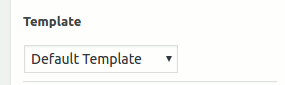
Here are some tips for working with the Divi Builder1. From the right side Page Attributes, Please select “Page Builder Layout” template
https://buddydev.com/docs/files/2017/06/single-post-template.pngThat will give you full width layout.
2. The margin/padding for the sections is controlled by the page builder. In your case, It is Divi Builder that controls the margin/padding.
You can control it from the section Module settings->Custom Padding for each section(It is in the popup box).
Here is a link to Divi Builder tutorial
https://www.elegantthemes.com/documentation/divi/global-modules/Around 2:27 you will see how to open the module settings.
Hope that helps.
Regards
Brajesh - Keymaster(BuddyDev Team)Posts: 25509Brajesh Singh on December 15, 2017 at 10:06 pm in reply to: [Resolved] BuddyPress Lock Unlock Activity. Need Ajax #12417
You are welcome.
Thank you for marking it resolved.Regards
Brajesh - Keymaster(BuddyDev Team)Posts: 25509
Hi AMV,
Thank you. I will love to add it after 20th of this month.Thank you
Brajesh - Keymaster(BuddyDev Team)Posts: 25509Brajesh Singh on December 15, 2017 at 9:53 pm in reply to: [Resolved] Global setting for spacing between sections #12414
There were some issues on this topic and @shelley was unable to post here.
I am marking it as resolved/closed and linking to the new topic.
https://buddydev.com/support/forums/topic/global-setting-for-spacing-between-sections-2Regards
Brajesh - Keymaster(BuddyDev Team)Posts: 25509Brajesh Singh on December 15, 2017 at 9:51 pm in reply to: [Resolved] Global setting for spacing between sections #12413This reply has been marked as private.
- Keymaster(BuddyDev Team)Posts: 25509Brajesh Singh on December 15, 2017 at 9:51 pm in reply to: [Resolved] Global setting for spacing between sections #12412
Hi Shelley,
Thank you for pointing me to the site. I will post in an hour with details(On how to use with Divi Builder).I am sorry that you were not able to reply on original topic. I am not sure why you were not able to post there, I checked and It is still open(I am going to close that and point here).
In future, if anything like this happens, please drop me a mail(my email is in next private reply).
Thank you
Brajesh - Keymaster(BuddyDev Team)Posts: 25509Brajesh Singh on December 15, 2017 at 9:48 pm in reply to: Buddypress Confirm action 1.0.2. No longer working #12411
I was using the github version. I am going to give a short to the version from our site and report back again. It is a possibility that these two versions may not be same(I doubt that but need to check for sue).
Regards
Brajesh - Keymaster(BuddyDev Team)Posts: 25509Brajesh Singh on December 15, 2017 at 9:47 pm in reply to: Buddypress ajax register , custom url #12410
Hi Julia,
That _auto.js is not part of our plugin. It is most probably generated by some javascript minifier plugin that you are using.1. I just had a look at the screenshot attached and if you see the code is from some WooCommerce related plugin in that file and not from ajax register. I can assure you that we are not adding it and you can verify the same by looking at the code.
2. The size of the plugin is 38.8KB zipped since it includes a lightbox and css for lightbox. The lightbox is Magnific Popup.
3. Auto activation is part of experience,. It emulates other social networks where a user gets logged in as soon s they create account. I can post a code to disable auto activation. That will disable auto login too.
4. We are not adding any specific style. Very minimal and only layout structure. It will not inherit from BuddyPress as BuddyPress css is mostly namespanced under #buddypress but it will inherit from your theme’s default style for form/buttons.
5. There is no security risk. If you think that you can check the name of the plugin directory in the browser, that is not a security risk. It is needed by all plugins who want to add some asset(js/css/images). I will suggest opening View Source and you will see your theme directory/plugins directory etc. It’s not a security risk. Non sanitized, improperly written coders are security risk.
Hope that clarifies.
Regards
Brajesh - Keymaster(BuddyDev Team)Posts: 25509Brajesh Singh on December 15, 2017 at 9:34 pm in reply to: [Resolved] divi Builder vs. Maximus #12409
Thank you. I will be posting about it here and on the other topic(spacing issue) in an hour after testing the theme with the Divi Builder.
Regards
Brajesh